Top issues new instructors face
This is a (hopefully somewhat fun) list of some common pitfalls that new instructors face. Why fun? Almost everything is solved by “slow down and be simpler” and “work with your co-instructor”.
Timing
Breaks are not negotiable, minimum 10 minutes.
Breakout sessions too short. Make them as long as possible, don’t expect to come back for new intro, then go back.
People will accomplish less than you expect. Expect learners to be 5 times slower than you, at best!
Forgetting to save time for Q&A: there is more Q&A because of Notes. You might take a few minutes to screenshare Notes and after each exercise session, after each break, after each episode, and at the end of each day.
Complexity
All the other tools and stuff will go wrong. Try to not bring in a dependency when you don’t need it.
Trying to accomplish too much: it’s OK to cut out and adapt to the audience. Have a reserve session at the end you prepare, but are ready to skip.
Not clearly separating (in the learner’s mind, by meta-talk), the differences between demo, type-along, and exercise/exercise-prep.
Demo and type-along are hard to do at the same time: they are very different types of focus
Type-along and exercise of the same thing are not good to combine, leads to duplication
Teaching
Explaining how, but not why.
Speaking like learners should be able to speak up with voice, instead of “answer in Notes or discuss within your groups.”
Assuming learners remember what they have already learned, or know the prerequisites. Or have stuff installed and configured.
Not managing expectations: learners think that you will accomplish everything, and feel sad when you don’t. Instead, say explicitly what everyone should follow along, what you might want to watch, what is only a demo.
Following the lesson as written at all costs.
Forgetting to screenshare the Notes during Q&A time (this is the most important way learners know it is active, and thus feel a connection to the course).
Planning to do a demo during team breakout sessions (teams will still hear your voice, if they mute the stream it’s hard to bring them back).
Forgetting there are multiple ways to attend: not everyone is in a breakout room, not everyone has helpers nearby. Instead, use phrasing such as “for those of you in breakout rooms, go there now. Everyone, remember to ask any questions in the Notes, even if you are alone.”
Preparation
Worrying too much (forgetting that there is a co-teacher and break time where you can discuss and plan your next step).
Running out of time to making your environment match the learner’s.
Running out of time to set up good screen sharing practices (terminal history, portion of screen, remote history) in advance.
Not planning screenshare in advance.
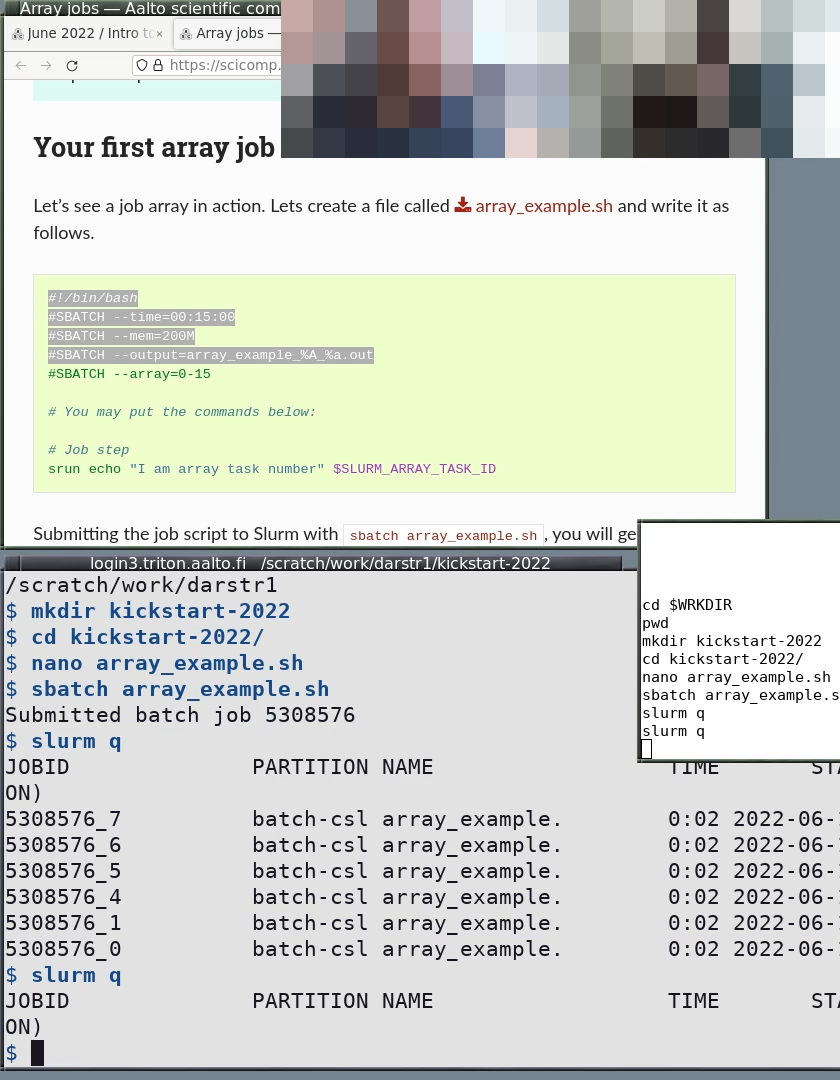
An example of a beautiful screenshare. Note the portrait orientation (you have half the screen free for yourself, learners have half the screen free to do their own work). The terminal is dark-on-light, a minimal prompt, no other fancy shell distractions, there is a shell history visible, and slightly distinct colors between the web browser and the terminal.
Livestreaming
“Stop screenshare” instead of letting the other person start and take it from you. Or, the broadcaster switching the scene. Never do “stop screenshare”.
Showing non-creative-commons material on the stream.